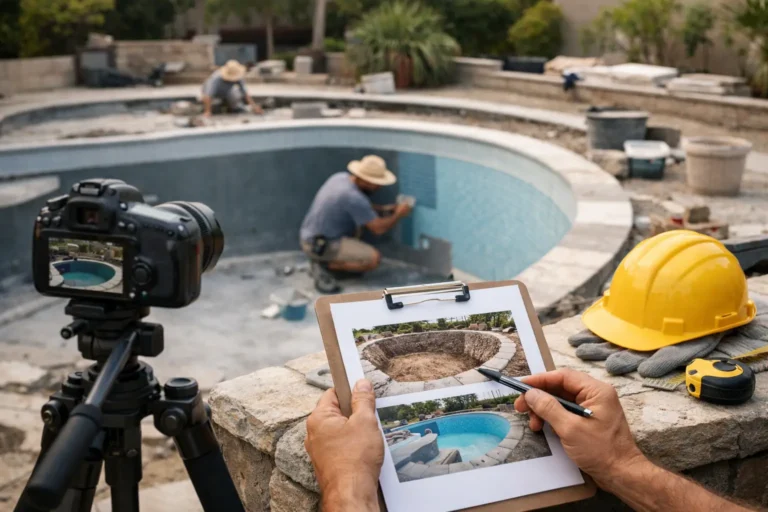
Project Progress Photos for Clients That Work
A client pays a deposit, work begins, and then the quiet period starts. For your team, that often means normal progress. For the client, it can feel like nothing is happening. This is where project progress photos for clients stop being a nice extra and start becoming part of how you manage trust.
If you deliver renovations, custom builds, fit-outs, bespoke products, or any project that takes weeks or months, photos do more than document work. They answer the question clients ask most often without sending another long email or replying to another message thread. Done well, they reduce friction, show momentum, and create a clean record of what has happened and when.
CustomWorks.app
Keep clients updated without messy chats
Give each project a private feed for client updates — and keep a clear history of photos, videos, notes, stages, decisions, and delivery moments for your team.
Why clients ask for updates so often
Most status requests are not really about schedule. They are about confidence. Once money has been paid and the work is no longer visible day to day, clients want proof that the project is moving.
That is especially true in custom work. A kitchen renovation, yacht refit, store fit-out, or made-to-order furniture piece does not move through a simple, obvious process from the client side. There are pauses, hidden technical steps, material delays, revisions, and parts of the job that look messy before they look right. If clients do not see progress, they tend to assume delay, confusion, or lack of control.
Photos solve that problem quickly because they are concrete. A short written update saying “framing completed” helps. A photo showing framing completed helps more. It gives clients visual confirmation, and visual confirmation is easier to trust than a status label alone.
What good project progress photos for clients actually do
The value is not just in taking pictures. It is in using them to make the project easier for the client to follow.
Good project progress photos for clients create visibility between major milestones. They show the in-between work that clients usually never see, such as prep, rough-in, fabrication, installation setup, finishing stages, and corrections. Those are often the periods when update requests increase, because the project is active but not visibly close to completion.
They also reduce repeated explanations. If a client can see that surfaces were protected before demolition, wiring was run before walls were closed, or components were test-fitted before final assembly, your team spends less time justifying the process. The project feels managed, not improvised.
There is also a commercial advantage. A clear visual record helps when discussing changes, delays, or extra work. It becomes easier to point to what was done, what condition something was in, and when a decision affected the timeline. That does not mean photos replace contracts or formal approvals. It means they support clearer conversations when details are disputed later.
Not every photo helps
A common mistake is assuming more photos automatically mean better communication. In practice, random camera roll dumps usually make updates feel less professional.
Clients do not need twenty slightly different shots of the same wall. They need a small set of images that answer practical questions. What changed since the last update? What stage is complete? What is happening now? What comes next?
The best progress photos are clear, purposeful, and tied to context. A single image of installed cabinetry means more when paired with a note explaining that hardware fitting is next and stone templating is booked for Friday. Without that context, even a good image can leave room for confusion.
There is also a balance to strike around honesty. Some teams hesitate to share work-in-progress images because the project looks untidy midway through. That concern is understandable. But hiding the middle of the process often creates more uncertainty than it prevents. Clients usually accept mess when they understand the stage. What they react badly to is silence.
How to structure photo updates so clients understand them
The most effective approach is simple: show progress in sequence.
That means posting photos as part of a timeline rather than scattering them across chat apps, email attachments, and internal folders. When updates are chronological, clients can see movement without needing to ask for a recap. They understand where the project started, what has been completed, and how the current stage connects to the next one.
Each update should do three jobs. It should show what happened, explain why it matters, and indicate what is next. That can be done in a few lines. For example, instead of sending three installation photos with no explanation, say that first-fix plumbing is now complete, pressure testing passed, and wall closing begins tomorrow. That gives the images meaning.
Consistency matters more than polish. A client who receives clear photo updates every few days or at agreed stage points will usually feel better informed than a client who gets one impressive update after two weeks of silence.
What teams should photograph during long-running projects
The right photo moments depend on the type of work, but the pattern is similar across industries. Clients want to see visible change, key hidden work before it gets covered, milestone completions, decisions that affect the final result, and handover readiness.
For a renovation or fit-out, that may include demolition, site prep, framing, mechanical and electrical rough-in, waterproofing, finishes, and installation. For bespoke manufacturing, it may include materials received, components in production, assembly stages, test fitting, finishing, quality checks, and packaging. For marine, restoration, or specialist fabrication work, it might include strip-down condition, repair stages, replacement parts, structural work, and final commissioning.
The important point is not the industry label. It is whether the client can understand progress from the photos you choose.
Where businesses usually get stuck
The real problem is rarely taking the photos. Most teams already do that. The problem is what happens afterward.
Photos sit on personal phones. Some are sent on WhatsApp. Others go by email. A few end up in a shared drive. Notes about what changed are buried in separate conversations. When the client asks for an update, someone has to search through messages, pick a few images, write a summary, and hope nothing important gets missed.
That creates two issues. First, updates become inconsistent because they depend on someone having time. Second, the project history becomes fragmented. Later, if a client asks when a change happened or whether a detail was approved before installation, your team may know the answer but struggle to prove it quickly.
This is why companies that handle long-running custom work benefit from a single client-facing place for updates. A tool like CustomWorks gives each project a private timeline where photos, short notes, videos, milestones, changes, and delivery updates sit together in order. That is very different from asking clients to follow internal project management software. The goal is not to expose task boards. It is to provide a clear, professional record of visible progress.
A practical standard for project progress photos for clients
If you want photo updates to reduce workload rather than add to it, set a simple internal rule.
Take photos at agreed milestones and at any point a client would otherwise wonder whether work is moving. Add a short note in plain language. Avoid technical shorthand unless the client understands it. Keep the focus on progress, not internal operations.
It also helps to standardize photo quality without making it complicated. Use consistent angles when possible, especially in physical spaces. Capture one wider shot for orientation and one or two detail shots where needed. Make sure images are bright enough to understand. You do not need marketing photography. You need clarity.
If your projects involve frequent changes, include those moments too. A photo attached to a brief note such as “revised panel layout approved and now in production” can prevent confusion later. When decisions become part of the visible project history, clients feel informed and your team has less back-and-forth to manage.
The trade-off: transparency vs volume
There is a limit to how much updating is useful. Sending photos every day can overwhelm clients, especially if nothing meaningful has changed. Sending too little creates uncertainty. The right rhythm depends on project length, complexity, and client expectations.
For a fast-moving interior project, several updates per week may make sense. For a longer bespoke manufacturing job, stage-based updates may be enough. High-value projects with anxious or detail-focused clients may need more frequent visibility. Repeat commercial clients may need less.
What matters is that the rhythm feels deliberate. Clients are much more comfortable when they know how updates will be shared and where to find them.
Why this matters beyond communication
When businesses use photos well, the effect goes beyond fewer status requests. The whole client experience becomes more structured.
Clients feel less need to chase. Teams spend less time repeating the same explanations. Decisions are easier to trace. Handover is smoother because the history of the work already exists. Even problems become easier to communicate because they can be shown clearly, not described vaguely.
That matters for reputation. In custom project work, clients do not only judge the final result. They judge how confident and informed they felt during the wait.
If you want fewer “Any updates?” messages, start by making progress visible in a way clients can actually follow. A good photo update is not just proof of work. It is proof that the project is being managed.