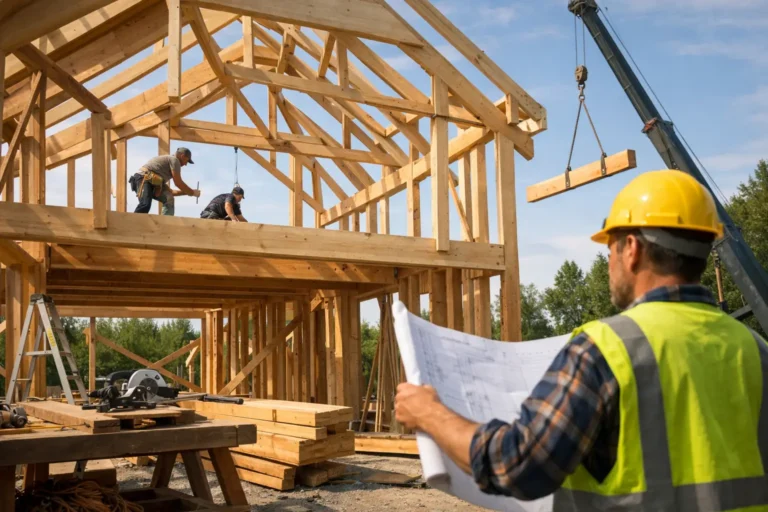
Project History for Clients That Builds Trust
A client pays a deposit, the work begins, and then the silence starts to feel expensive. Not because nothing is happening, but because the client cannot see it. That is where project history for clients becomes more than a nice extra. It becomes part of how you protect trust during long, custom work.
For companies delivering renovations, bespoke builds, fit-outs, fabrication, or custom installations, progress is rarely linear. Some days produce visible wins. Other days are spent on prep, approvals, sourcing, fixes, or coordination. From the client side, that difference is hard to read unless you show it clearly. If you do not, people fill the gap themselves, usually with questions, assumptions, or concern.
CustomWorks.app
Keep clients updated without messy chats
Give each project a private feed for client updates — and keep a clear history of photos, videos, notes, stages, decisions, and delivery moments for your team.
Why project history for clients matters
Most client frustration does not come from a single delay or change. It comes from not knowing what is happening, what has already been decided, and whether the project is moving at all. When communication lives across email threads, chat apps, camera rolls, and verbal updates, the story of the job gets fragmented fast.
That creates three practical problems. First, clients ask for updates more often because there is no reliable place to check progress. Second, your team spends time repeating information that has already been shared somewhere else. Third, when a question comes up about scope, timing, or a past decision, nobody wants to hunt through messages to reconstruct the sequence.
A clear client-facing project history fixes that by turning scattered updates into one visible timeline. Photos, videos, short notes, stage changes, decisions, variations, and delivery milestones all sit in order. The client sees movement. Your team keeps context. The project feels organized.
This matters even more on projects that run for weeks or months. In short jobs, memory can carry some of the load. In long-running work, memory is unreliable. Staff change. Clients forget what was approved. Site conditions evolve. A visible history gives both sides the same reference point.
What a good project history for clients should include
A useful history is not a giant report and it is not a task board shared with the client. It should be simple enough for clients to follow without explanation, but detailed enough to show real progress.
In practice, the strongest project histories combine visual proof with short written context. A photo of framing, wiring, mockups, materials, workshop progress, or installation work tells the client something is moving. A short note explains what they are seeing and why it matters. When this pattern repeats over time, the timeline becomes easy to trust.
It should also capture milestones, not just media. Start dates, key work stages, approvals, changes, and handover moments all matter because they shape the client’s understanding of the job. If only the big moments are recorded, the timeline can feel sparse and create new questions. If every tiny internal action is included, it becomes noisy. The balance depends on the type of work and the client.
For example, a renovation client may care deeply about demolition, structural progress, waterproofing, finishes, and snag resolution. A bespoke manufacturing client may care more about design approval, material arrival, fabrication progress, finishing, testing, and delivery preparation. The structure should reflect the real journey of the project.
What goes wrong without a clear history
Many companies already send updates. The issue is not whether communication happens. The issue is whether it stays usable.
A photo sent in WhatsApp is useful for five minutes, then buried. An approval given by email is easy to lose in a long thread. A delivery update sent by one team member may never reach everyone involved. Over time, clients stop knowing where to look, and your staff stop trusting that prior context will be easy to find.
That leads to familiar friction. Clients ask, “Any updates?” even when work is underway. Teams answer the same question in three different channels. When a client says, “I thought that was already included,” the discussion turns into memory versus memory. None of this is good for margin, pace, or confidence.
Silence is not always the real problem. Unstructured communication is. A project can have lots of messages and still feel opaque.
How to create a project history clients will actually use
The best approach is usually the simplest one: one private timeline per project, updated steadily from kickoff to completion. Not a portal packed with features. Not a client login to your internal project management system. Just a clear record of what has happened and what the client needs to know.
Start at the beginning, not halfway through. The history should open with the initial project stage, key scope context, and first visible actions. This sets expectations early and gives the client confidence that updates will continue. If you wait until there is a problem or delay to start documenting progress, the timeline feels reactive rather than standard.
Then keep the update format consistent. A good rhythm might be a few visual updates each week for active projects, or stage-based updates for slower production work. The exact frequency depends on project type, but consistency matters more than volume. Clients do not need constant messaging. They need visible continuity.
Each update should answer one simple question: what changed since the last update? That might be completed work, a decision made, a material received, an issue resolved, or the next stage beginning. Keep the note short, specific, and tied to what the client can see.
It also helps to record changes and decisions in the same timeline as progress updates. This reduces confusion later. If a finish changed, an item was delayed, or an adjustment was approved, it should live in the project history, not in a separate message thread that disappears from view.
The business value is bigger than fewer status requests
Reducing repetitive client questions is one of the fastest gains, but it is not the only one. A strong project history also changes how your company appears.
When clients can see an ordered timeline of progress, your business feels more controlled. The project looks managed, even when the work itself is complex. That matters for custom jobs because clients are often judging professionalism through communication as much as through craft.
There is also an internal benefit. Teams work faster when they do not have to reconstruct context every time someone asks for an update. New staff can review a timeline instead of requesting a verbal handover. Managers can check what the client has already seen. If a dispute appears late in the project, the record is easier to verify.
That said, more documentation is not always better. If updates become too long, too technical, or too frequent, clients stop reading them. If the feed turns into a duplicate of internal project management, the purpose gets blurred. The goal is client visibility, not client overload.
Where software helps
This is exactly the gap a tool like CustomWorks is built to solve. For long-running custom projects, a private client update feed gives you one organized place to share photos, videos, notes, stage changes, decisions, and delivery updates in order.
That structure matters because it replaces scattered communication with a usable project history. Instead of sending updates across different channels and hoping clients can piece them together, you give them a single timeline that explains the work as it unfolds. The result is less back-and-forth, fewer missed details, and a more professional client experience.
For teams in construction, interiors, fabrication, restoration, marine work, bespoke manufacturing, and similar fields, this is often the difference between communication that feels improvised and communication that feels reliable.
A better standard for long-running projects
Clients do not expect perfection. They do expect visibility. If they are paying for complex work over time, they want proof that the project is advancing, clarity about what has changed, and confidence that nothing important is getting lost.
Project history for clients gives you a practical way to provide that. It turns updates into a system instead of a scramble. It keeps the story of the job intact from first work to final delivery. And it gives your business a calmer, cleaner way to communicate when the project itself is anything but simple.
If your clients regularly ask for updates, that is not just a messaging problem. It is usually a visibility problem. Fix that, and many of the communication issues around custom work start to ease on their own.
The companies that stand out in long-running project work are often not the loudest. They are the ones that make progress easy to see.