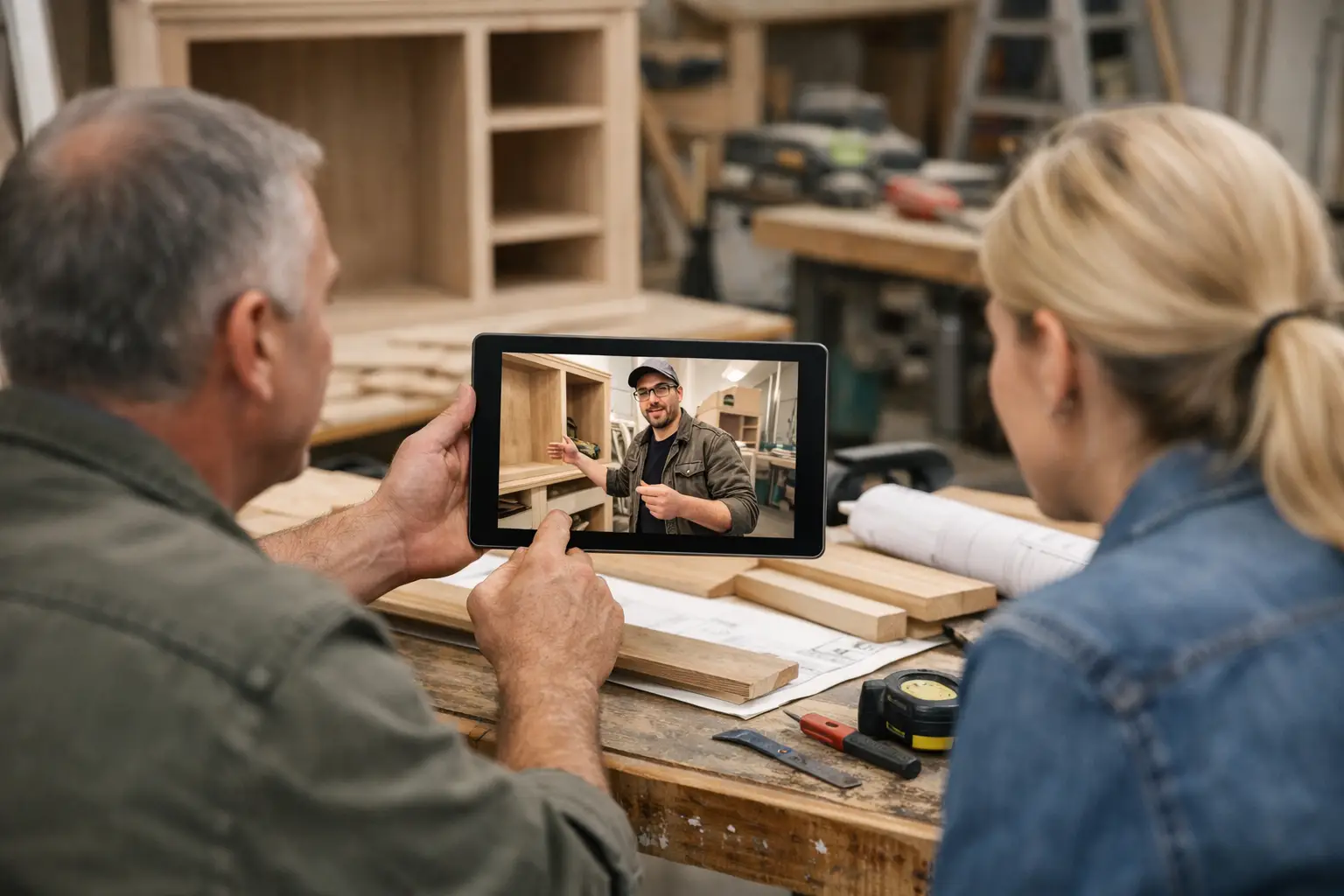
Project Video Updates That Clients Actually Watch
A client who has paid a deposit and then hears nothing for ten days usually starts filling in the blanks on their own. That is where trust begins to slip. Project video updates solve a very specific problem in long-running custom work: they show visible progress in a way clients can understand quickly, without forcing your team into long calls or constant back-and-forth messages.
For companies managing renovations, custom fabrication, fit-outs, refits, bespoke manufacturing, or specialist installations, silence creates work. It creates status requests, clarification calls, message chasing, and repeated explanations across WhatsApp, email, and text. A short video can often answer what five separate messages would otherwise need to explain.
CustomWorks.app
Keep clients updated without messy chats
Give each project a private feed for client updates — and keep a clear history of photos, videos, notes, stages, decisions, and delivery moments for your team.
Why project video updates work better than text alone
Text updates are useful, but they have limits. If a wall has been opened, a frame has been welded, a surface has been repaired, or a cabinet run has been dry-fitted, a client understands that instantly when they can see it. A written note saying “stage one completed” is technically accurate, but it rarely gives the same reassurance as a 30-second walkthrough.
Video also adds context that photos sometimes miss. A still image can show a finished section, but a video can show the full area, the surrounding conditions, the sequence of work, and the practical reason why a project is taking the time it is taking. That matters when the client is not on site and does not understand the day-to-day details.
There is also a professionalism factor. When updates arrive as scattered clips in chat apps, they feel temporary. When they are presented as part of a clear project history, they feel managed. Clients notice that difference. They may not say it directly, but structured communication changes how they judge the business behind the work.
What makes a good project video update
The best project video updates are short, specific, and tied to a clear point in the job. They do not need editing, graphics, or polished voiceover. In most cases, a simple phone video with a calm explanation is enough.
What clients want is not production quality. They want certainty. They want to know what was done, what changed, what is next, and whether anything requires their input. A useful update usually covers three things in under a minute: the current visible progress, any important issue or decision, and the next step.
That said, not every stage needs video. If the update is a simple scheduling note or a material delivery confirmation, text may be more efficient. Video is most valuable when something has changed physically and the client will benefit from seeing it rather than reading about it.
Where teams often get project video updates wrong
The most common mistake is overthinking them. Teams delay sending updates because they believe the video needs to look polished. It does not. If the choice is between a simple clear update today and a better one next week, today is usually better.
The second mistake is sending video with no explanation. A clip of a job site or workshop floor without context can create more questions than it answers. Clients may not know what they are looking at, whether it represents progress, or whether there is a problem. A short spoken explanation fixes that immediately.
The third mistake is storing updates in the wrong place. Videos sent in chat threads disappear. Videos sent by email get buried. If a client later wants to check when a change was approved or what stage was complete two weeks ago, your team has to dig through old messages. That is not just inefficient. It weakens the sense of control.
A practical rhythm for using project video updates
Most businesses do not need daily videos. In fact, daily updates can create noise if there is not much to show. The better approach is to match the update rhythm to meaningful project movement.
For a renovation or fit-out, that might mean a video at demolition completion, first fix, material arrival, installation, snag resolution, and handover preparation. For a fabrication or bespoke manufacturing project, it might be design sign-off, raw material preparation, assembly, finishing, quality check, and dispatch.
This matters because clients do not usually need constant information. They need steady visibility. A predictable rhythm reduces uncertainty without making updates feel forced.
What to say in each video
Keep the structure simple. Start with what the client is seeing. Then explain why it matters. End with what happens next.
For example, instead of saying, “Here is a quick update,” say, “The stone is now installed on the kitchen run, the island cutout is complete, and we are ready for final fitting tomorrow.” That gives the client orientation, progress, and next action in one sentence.
If there is a delay or change, be direct. “The finish on the first batch did not meet the standard, so we remade those panels. That adds three days, but it avoids problems at installation.” Clients usually respond better to a clear explanation than to silence.
Project video updates and client trust
Long-running projects create an uneven trust curve. At the beginning, the client is optimistic. Midway through, especially after payment and before visible completion, confidence can wobble. That is the point where communication matters most.
Project video updates help because they remove ambiguity. They show that work is active, that details are being managed, and that the team is paying attention. They also reduce the emotional temperature around normal project issues. A delay with visual explanation often feels manageable. A delay communicated late through a brief message often feels worse than it is.
This is especially true in sectors where clients are not technical buyers. A homeowner, retail owner, hospitality operator, or private customer may not understand trade sequencing, fabrication lead times, or on-site constraints. Video bridges that gap faster than written detail.
Why the format matters as much as the video
A good update becomes more valuable when it sits in the right system. If your team is sending clips through several channels, clients still have to search, piece together context, and remember where decisions were made. That means the communication problem is only partly solved.
A better setup is a private project feed where videos, photos, notes, milestones, changes, and delivery updates live in one timeline. The client can check progress without requesting it, and your team keeps a clean visual history of the work.
That is the practical value of a platform like CustomWorks. It gives companies handling long-running custom jobs a client-facing place to share project video updates in context, instead of letting them disappear into chat threads or long email chains.
When video is not the best choice
There are trade-offs. Video takes a bit more effort than typing a message. In noisy workshop environments, audio may be poor. On some sites, connectivity is limited. Certain approvals are better documented in writing. And if a client prefers concise text for routine updates, forcing video every time can be counterproductive.
The answer is not to replace all communication with video. It is to use video where visual proof adds clarity, and use short notes where they are more efficient. The strongest communication process usually combines both.
For example, a team might post a 40-second walkthrough of installed joinery, followed by a one-line note confirming the next visit date and a separate written record of a finish approval. That keeps communication clear without making the update feed feel heavy.
How to start using project video updates without creating more admin
The easiest way to fail with updates is to make them feel like extra paperwork. They need to fit into the job as it already happens.
Start by choosing the moments when clients most often ask for reassurance. Usually that is after an early deposit, during hidden or messy stages of work, after a change request, and near completion. Build updates around those moments first.
Then standardize the format. Ask team members to record one short clip, mention what is complete, note any issue or decision, and state the next step. That consistency matters more than style.
Finally, keep everything in one client-visible place. When updates are organized, your team spends less time repeating itself and clients spend less time wondering what is going on.
That is the real benefit of project video updates. They are not just content. They are a practical way to reduce silence, show control, and make a long project feel actively managed from the client’s point of view.
A client does not need constant reassurance. They need enough visibility to stay confident while the work moves forward.