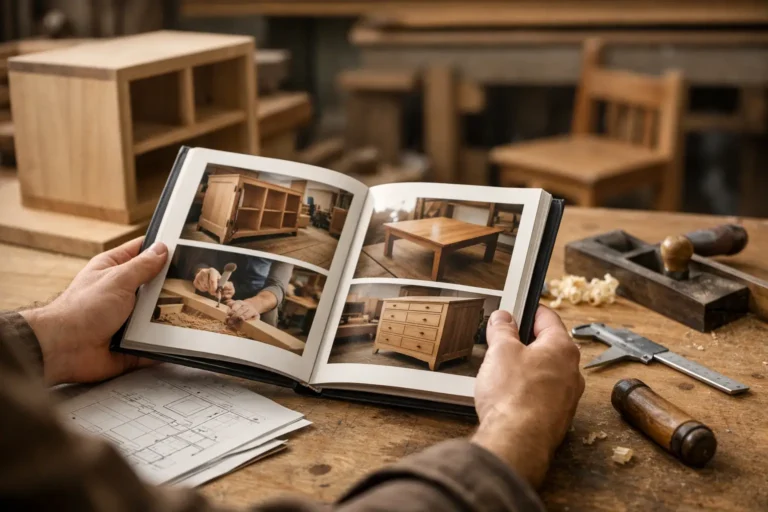
How to Organize Client Project History
A client asks for “the latest version” of a drawing, a photo from three weeks ago, or the reason a finish changed. Your team knows the answer is somewhere in email, chat, or a phone camera roll, but finding it takes longer than it should. That is usually the moment companies start asking how to organize client project history in a way that is clear for both the team and the client.
For long-running custom work, project history is not just admin. It is part of the service. When updates are scattered, clients feel uncertainty. When the record is clean, they see progress, understand changes, and ask fewer status questions. Internally, your team also spends less time chasing old messages and more time moving the job forward.
CustomWorks.app
Keep clients updated without messy chats
Give each project a private feed for client updates — and keep a clear history of photos, videos, notes, stages, decisions, and delivery moments for your team.
Why client project history gets messy so quickly
Most businesses do not create a messy record on purpose. It happens because updates are produced in the middle of work. A site supervisor sends a photo on WhatsApp. A project manager confirms a change by email. A workshop lead shares a quick video from the floor. Someone writes notes in a spreadsheet. Someone else keeps the real context in their head.
That can work for a few days. It breaks down over projects that last weeks or months.
The main problem is that project communication usually follows convenience, not structure. Teams use whatever tool is fastest in the moment. Clients do the same. Over time, the history of the project stops being a single record and becomes fragments spread across different places. Important details are still there, but they are hard to reconstruct when someone needs a clear answer.
This creates three business issues at once. First, clients experience silence or confusion even when work is happening. Second, your team repeats itself because the same questions come back again and again. Third, disputes become harder to handle because the timeline of decisions and changes is incomplete.
What an organized client project history should include
If you want to know how to organize client project history well, start by deciding what belongs in it. The goal is not to archive every internal message. The goal is to keep a clean, client-relevant timeline of what happened, what changed, and what comes next.
In most custom project businesses, that means keeping photos, short videos, progress notes, stage updates, key decisions, approved changes, delays, delivery details, and completion moments in one place. For some teams, it also helps to include material selections, measurement confirmations, or installation milestones. It depends on the type of work and how often scope changes during delivery.
What matters most is consistency. A simple record updated regularly is more useful than a detailed system that nobody maintains.
How to organize client project history without overcomplicating it
The best approach is usually a practical one: organize project history by timeline, not by tool or department.
A client does not think in terms of inboxes, chat apps, and folders. They think in terms of the project moving from one point to the next. Your history should match that view. Instead of keeping separate records for photos, decisions, and updates, build one chronological project feed where each update shows what happened on that date, supported by relevant visuals and notes.
That format works well because long-running projects are rarely linear. Stages overlap. Small changes affect later work. Delivery dates move. A timeline preserves context. It shows not only the latest update, but how the project got there.
To make that timeline useful, each update should answer at least one of these questions: what was done, what changed, what is waiting, or what happens next. If an update does not help the client understand progress, it probably belongs in internal project management, not in client history.
Use a standard structure for every update
Consistency matters more than length. A good project update can be short if it follows a predictable structure.
For example, a strong update usually includes a clear stage label, one or two sentences explaining progress, and visual evidence if available. If something changed, include the reason and the impact. If the next step is already known, say it plainly. This reduces follow-up questions because the update already covers the context clients usually ask for.
A vague note like “work ongoing” adds almost nothing. A better update is: “Cabinet frames installed in the west wall section. Door fronts delayed by two days due to supplier finish correction. Next step is final fitting and alignment on Thursday.” That level of detail creates confidence without turning the update into a report.
Keep decisions and changes in the same visible history
One of the biggest mistakes teams make is separating progress updates from change records. The work history sits in one place, while scope changes, approval notes, and revised expectations live somewhere else.
That separation causes problems later. When a client asks why timing shifted or why a material changed, your team has to reconstruct the answer from multiple channels.
A better system keeps the change inside the same project history. If a finish is swapped, a dimension is revised, or delivery moves by a week, that update should appear in the timeline with the explanation attached. This makes the record clearer and protects both sides from memory gaps.
Organize around client visibility, not internal complexity
Many businesses already use internal project management tools, and that is fine. But internal workflows are rarely ideal for client communication.
Clients do not need task dependencies, internal comments, or procurement notes. They need a clean view of progress. If you expose too much internal detail, the history becomes noisy. If you expose too little, it feels like silence.
This is where a dedicated client-facing update timeline works better than forwarding random messages or building long email threads. CustomWorks, for example, is built around this exact need: one clear project history for clients, focused on updates, visuals, decisions, and delivery progress rather than internal task management.
A simple workflow for keeping project history organized
The easiest system to maintain is one that matches how your team already works. In practice, that usually means assigning one person to publish updates, while allowing multiple people to contribute photos, videos, and notes from the field, workshop, or office.
Start by defining update frequency. Weekly is enough for some projects. For active site work or fabrication phases, two or three updates a week may be more appropriate. The right schedule depends on project pace, but long periods with no visible activity usually create avoidable client anxiety.
Next, decide what triggers an update. Good triggers include stage completion, visible progress, design or material changes, delivery milestones, and unexpected delays. Waiting until someone asks for an update means the system is already failing.
Then standardize naming and labeling. If every project stage is described differently, the history becomes harder to scan. Use consistent labels such as site prep, fabrication, installation, finishing, change approved, delivery scheduled, and handover completed. Clients do not need perfect technical language. They need recognizable structure.
Finally, set a simple rule for media. If a photo or video helps explain progress, include it. Visual proof often answers questions faster than paragraphs of text. For industries like renovations, custom builds, restoration, fit-outs, and bespoke manufacturing, that visual record becomes one of the most valuable parts of the entire client experience.
Common mistakes when organizing client project history
The most common mistake is treating project history like a storage problem instead of a communication problem. Saving files is not enough. If clients cannot follow the story of the project, the record is still weak.
Another mistake is overloading updates with technical detail. Too much jargon makes clients work harder to understand what is happening. Keep the visible history clear and direct, even if internal records remain more detailed.
Some teams also wait for polished milestones before posting anything. That sounds professional, but it often creates long silent gaps. In custom work, clients usually prefer steady visibility over occasional polished reports.
There is also a trade-off to manage. If updates are too frequent and too minor, they lose meaning. If they are too rare, clients start asking for reassurance. The right balance is regular, useful updates tied to visible movement or meaningful decisions.
How to tell if your system is working
An organized history should reduce friction. You should see fewer “Any updates?” messages, faster answers to client questions, and less internal time spent searching for old information.
You should also be able to open any project and understand its status in minutes. If that still requires checking inboxes, chat threads, and phone galleries, the history is not organized enough.
The real test is simple: when a client asks what has happened so far, can you show a clear timeline with progress, changes, and context without rebuilding the story manually?
That is the standard worth aiming for. In long-running custom projects, a well-kept history does more than document the work. It shows that your business is in control, that communication is deliberate, and that clients do not have to chase visibility after they have already committed to the project.
A clean project record will not remove every delay, revision, or difficult conversation. It does make those moments easier to handle, because everyone can see what happened and when. That clarity is often what keeps a complex project feeling professional from start to finish.