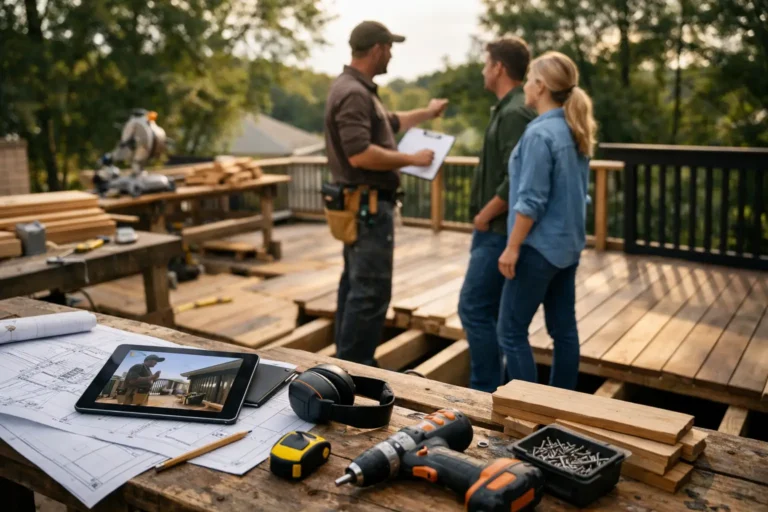
Client-Facing Updates for Restoration Shops
A client drops off a classic car, antique cabinet, or damaged boat component, pays a deposit, and then hears very little for three weeks. From your side, work is moving. Parts are being sourced, damage is being uncovered, and skilled labor is going into every stage. From the client’s side, it can feel like silence. That gap is why client-facing updates for restoration shops matter more than most teams realize.
Restoration work is not like fast-turn service jobs. It is often uncertain, visual, and heavily dependent on what appears after disassembly, stripping, testing, or teardown. Timelines shift. Scope changes. Costs sometimes need review. If clients are not seeing progress, they tend to assume the worst. Then the calls start. So do the text messages, follow-up emails, and requests for photos buried somewhere in a technician’s phone.
CustomWorks.app
Keep clients updated without messy chats
Give each project a private feed for client updates — and keep a clear history of photos, videos, notes, stages, decisions, and delivery moments for your team.
The real issue is not that clients ask for updates. The issue is that many restoration shops handle updates in an inconsistent way. One customer gets photos by text. Another gets a quick phone call. Another gets nothing until an invoice or approval request appears. That creates extra admin work for the shop and an uneven experience for the client.
Why restoration shops get update communication wrong
Most restoration businesses are not short on expertise. They are short on time and structure. The team is focused on teardown, repair, fabrication, refinishing, testing, and delivery. Client communication gets fitted in between technical work, which usually means it happens only when a customer asks.
That reactive pattern creates two problems. First, clients feel like they have to chase information. Second, the shop loses control over the story of the project. Instead of showing progress clearly, the team is constantly answering one-off questions without context.
Restoration projects also produce the kind of information clients care deeply about. Before-and-after photos, hidden damage, replacement parts, material choices, refinishing stages, and approval points all help justify time and cost. But if those details sit across text threads, email chains, and personal devices, they are hard to use well.
For restoration shops, the communication problem is rarely about saying more. It is about showing the right information at the right moment in a format the client can follow.
What good client-facing updates for restoration shops look like
Good updates are clear, visual, and tied to real project stages. They should help a client understand what happened, what is happening now, and what comes next.
In restoration, that usually means sharing a short note with supporting images or video. For example, after disassembly, a shop might show corrosion under trim, explain what was not visible during intake, and note that a revised estimate or approval may be needed. Later, the team might post photos of fabrication work, prep stages, paint matching, bench testing, or reassembly.
The best updates are not overly polished. Clients do not need marketing content. They need proof of progress. A straightforward photo with a sentence or two is often enough, especially when those updates are stored in order and easy to review later.
That last point matters. A restoration project may run for weeks or months. If updates are scattered, clients lose the thread. If updates are organized into one timeline, the whole job becomes easier to understand.
The practical standard to aim for
A useful client update system for a restoration shop should cover five things: visual progress, short explanations, stage changes, decision points, and delivery status. If one of those is missing, communication tends to break down somewhere in the job.
Visual progress reduces anxiety. Explanations prevent confusion. Stage changes help clients understand where the project stands. Decision points keep approvals documented. Delivery status prevents last-minute friction.
That does not mean every job needs daily communication. In fact, too many updates can create noise, especially when work is slow or repetitive. The right frequency depends on project length, value, and uncertainty.
How often should a restoration shop send updates?
There is no perfect rule, but there is a practical one: update often enough that the client never feels the need to ask whether anything is happening.
For shorter jobs, one or two updates between intake and completion may be enough. For larger restorations, weekly updates are often a strong baseline. If a major discovery, delay, or approval point comes up, send an update then rather than waiting for the regular schedule.
Some shops worry that frequent updates create more work. That can happen if each message is written from scratch and sent manually through multiple channels. It becomes much easier when updates follow a repeatable pattern and live in one place.
A simple rhythm works well. Share an intake or teardown update, then progress updates at meaningful stages, then any changes or approvals, and finally completion or delivery preparation. That keeps clients informed without turning your team into full-time communicators.
Why scattered channels create bigger problems over time
Texting a client may feel fast in the moment. Emailing a few photos may seem good enough. But over the length of a restoration project, scattered communication creates avoidable risk.
Photos get lost. Approval details are hard to find. One team member knows what was promised, while another does not. Clients go back through old messages trying to understand changes. If a dispute appears later, the project history is incomplete.
This matters even more in restoration because the work often involves judgment calls and discoveries made after initial inspection. If you need to explain why costs changed or why extra time was needed, a clean visual record makes that conversation far easier.
That is where a structured client update feed helps. Instead of spreading communication across private chats and inboxes, the shop can maintain one visible project history that shows progress as it happened. Platforms like CustomWorks are built around that model, giving teams a private client-facing feed for photos, videos, notes, stages, changes, and delivery updates without turning the client experience into full project management software.
Building a simple update process inside the shop
Most restoration shops do not need a complicated communications policy. They need a repeatable habit.
Start by deciding which project moments should always trigger an update. Intake is one. Teardown findings are another. Major repair completion, refinishing progress, parts arrival if relevant, approval requests, and ready-for-delivery status are common checkpoints. Once those moments are defined, the team no longer has to guess when to communicate.
Next, decide who owns the update. In some shops, it is the project manager or owner. In others, technicians capture photos and a coordinator posts the update. Either model can work. What usually fails is assuming someone will do it eventually.
Then keep the format simple. A good update usually includes three elements: what was done, what the client is seeing in the photo or video, and whether any action is needed. That structure keeps messages short and useful.
It also helps to set expectations at the start of the project. Tell clients how updates will be shared and how often they can expect them. That reduces random status-check messages because the client already knows the process.
The business case is stronger than it looks
At first glance, better updates may seem like a service improvement rather than an operational one. In practice, they affect both.
When clients can see progress clearly, they ask fewer repetitive questions. That saves time across the office and workshop. It also reduces interruptions, which matter in skilled restoration work where focus is valuable.
Clear updates also improve trust during difficult moments. Not every restoration project goes smoothly. Hidden damage appears. Suppliers miss deadlines. Specialist parts take longer than expected. Clients are more likely to stay patient when they can see the work already completed and understand why the project changed.
There is also a professionalism factor. Shops that present work through a clean, organized update history tend to look more controlled and credible. That matters when projects are high value or emotionally significant, which many restoration jobs are.
And after delivery, a documented visual history has ongoing value. Clients appreciate seeing the full transformation. The shop has a cleaner reference record. Future work, warranty discussions, and repeat business all benefit from that clarity.
Where to start if your current process is messy
Do not try to fix everything at once. Pick one active restoration project and handle updates in a more structured way from today forward. Capture each meaningful stage. Add short notes. Keep the history in order. See what questions stop appearing.
Then roll that process out across larger or longer-running jobs first. Those are usually where communication gaps cost the most time and trust. Once the team gets used to the pattern, it becomes part of normal project delivery rather than extra admin.
For restoration shops, silence is rarely neutral. Clients read it as delay, confusion, or lack of attention. Clear updates change that. They show steady progress, explain the unexpected, and keep the client connected to the work they are paying for. When that communication is organized and visible, the project feels more controlled for everyone involved.
The shops that handle this well are not necessarily the ones sending the most updates. They are the ones making progress easy to see.