Why a Project Update Feed Works
Silence is expensive in long-running client projects. It creates avoidable check-in messages, weakens confidence after a deposit is paid, and forces your team to stop work just to explain what is already happening. A project update feed fixes that by giving clients one clear place to see progress, photos, notes, decisions, and delivery milestones as the job moves forward.
For companies handling renovations, custom builds, fit-outs, fabrication, bespoke production, and other made-to-order work, this is not a small communication upgrade. It changes how the project feels from the client side. Instead of waiting, guessing, or searching through old emails, clients can follow a simple timeline of real progress.
CustomWorks.app
Keep clients updated without messy chats
Give each project a private feed for client updates — and keep a clear history of photos, videos, notes, stages, decisions, and delivery moments for your team.
What a project update feed actually does
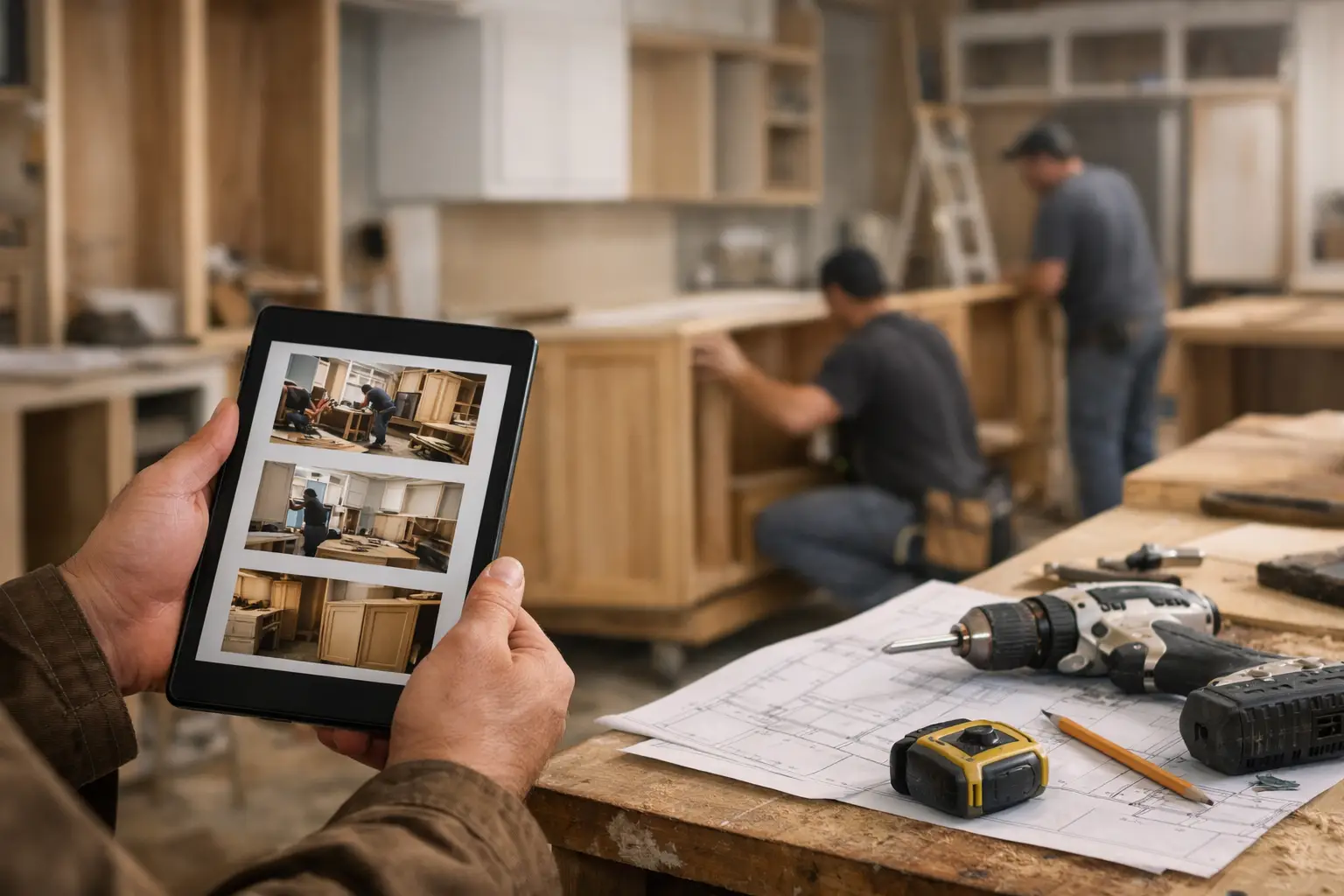
A project update feed is a private, client-facing timeline for one job. Your team posts updates as the work progresses. Those updates might include site photos, workshop videos, short explanations, approved changes, completed stages, material arrivals, or handover details.
The format matters. Most companies already send updates, but they send them in scattered ways: a photo in WhatsApp, a note in email, a phone call about delays, another message with a revised detail, then a separate thread when something is delivered. The information exists, but the history is fragmented.
A feed turns those fragments into an organized record. Clients do not need to ask where things stand because the project story is visible in one place. Your team does not need to reconstruct past conversations every time a question comes in.
Why clients ask for updates so often
Most repeated update requests are not really about impatience. They are about uncertainty. When a client has paid a deposit and the project will take weeks or months, silence creates doubt very quickly.
They start wondering whether work has started, whether materials have arrived, whether their choices were noted, or whether delays are being managed. Even when everything is on track, poor visibility makes the project feel risky.
That is why a project update feed works so well in custom project businesses. It does not just answer a question. It reduces the reason the question comes up in the first place.
This is especially useful when the work is visual or staged. In renovations, fit-outs, furniture making, fabrication, or restoration, clients want to see visible movement. A short note helps, but a photo from the workshop, a video from site, or a clear stage update provides much stronger reassurance.
The business problem behind messy updates
Many teams still rely on whatever is quickest in the moment. A supervisor sends a phone photo. An owner replies from email. A project manager forwards an old message to clarify a choice. It feels flexible, but over time it creates a communication mess.
The cost is not just annoyance. Important details get buried. Clients ask for the same update twice. Team members spend time checking what was already sent. If staff change during the project, the communication history is harder to follow. And when the client experience feels disorganized, the business looks less controlled than it actually is.
For small and mid-sized firms, that matters. You may be doing excellent work operationally, but if the communication layer looks improvised, clients feel the gap.
What should go into a good project update feed
The best feeds are simple. They are not full project management systems presented to clients. They are clear, relevant progress records built around what clients actually need to know.
That usually includes visual updates, short context, stage movement, key decisions, changes, and completion-related information. A strong update does not need to be long. A few photos and two lines of explanation are often enough when posted consistently.
For example, a renovation company might post demolition progress, first-fix completion, tile delivery, installation photos, snagging updates, and final handover notes. A fabrication shop might share material arrival, cutting and assembly progress, finish samples, test fit photos, and dispatch confirmation. A custom furniture maker might document design sign-off, workshop build stages, finish approval, packaging, and installation.
What matters is that each update adds clarity. The feed should answer, in practical terms, what happened, where the project stands now, and what comes next if that is helpful.
A project update feed is not the same as project management
This distinction is important. Many companies try to solve client communication with internal project management tools. In practice, that often creates a poor fit.
Internal tools are built for tasks, dependencies, assignments, and operational detail. Clients usually do not want access to all that. They want an easy way to see progress without learning software, filtering boards, or interpreting internal workflows.
A project update feed is lighter and more appropriate for the client relationship. It shows the right information without exposing every internal process. That keeps communication transparent without making it bureaucratic.
For businesses that deliver custom work, that balance matters. Too little visibility creates anxiety. Too much internal detail creates confusion. A feed sits in the middle: structured enough to build trust, simple enough for clients to use.
How it changes the client experience
When updates are centralized in a feed, clients stop relying on memory and message history. They can open one timeline and immediately understand what has been completed, what has changed, and what the latest project status looks like.
That has a direct effect on trust. Not because the feed is flashy, but because it shows consistency. Clients see that your business is paying attention, recording progress, and communicating in an orderly way.
It also changes the tone of conversations. Instead of “Any updates?” you get more specific, useful questions. Instead of searching your phone for the last site image, your team can refer the client to a visible update history. Communication becomes calmer because the project is easier to follow.
How teams can start using one without extra bureaucracy
The biggest mistake is overcomplicating the process. A good feed should fit into work that is already happening. Your team is already taking photos, sending notes, confirming decisions, and marking progress. The goal is to capture those moments in one client-facing timeline instead of scattering them.
Start with a basic rhythm. Post at meaningful points in the project, not at random. That could mean once or twice a week, at stage changes, when approvals happen, when materials arrive, or when there is something visual worth sharing.
Keep the format consistent. A short update with a clear date, one or more photos or videos, and a simple explanation is enough. If there is a change, mention what changed. If there is a delay, explain it plainly. Clients usually respond better to direct communication than to silence.
This is where a tool built specifically for private client project updates helps. CustomWorks keeps each project in its own private feed so teams can share photos, videos, notes, stages, changes, and delivery updates in one organized timeline on the CustomWorks platform.
Where a project update feed delivers the most value
The longer and more custom the job, the more useful the feed becomes. Short, standard jobs may not need much more than basic scheduling and a final confirmation. But once a project involves multiple stages, custom decisions, workshop or site progress, client approvals, or lead-time uncertainty, visibility becomes part of the service.
That is why this approach works well across renovations, interior fit-outs, custom cabinetry, yacht refits, specialist installations, metal fabrication, restoration work, bespoke manufacturing, and design-build projects. In each case, the common pattern is the same: the client is waiting while work happens out of sight.
A feed closes that visibility gap.
There are trade-offs, of course. If updates are too infrequent, the feed loses value. If updates are too detailed, clients may get distracted by operational noise. If responsibility for posting is unclear, consistency drops. The solution is not more complexity. It is a clear owner, a simple posting habit, and a client-friendly format.
The real benefit is operational, not just presentational
A project update feed makes your business look more organized, but the bigger gain is internal. Your team spends less time repeating the same status explanations. Decisions are easier to trace. Visual records are easier to find. New staff can review the project story quickly. And when clients do reach out, the conversation starts from a shared source of truth.
That is a practical improvement, not a branding exercise. It protects time, reduces friction, and supports better client relationships during the part of the project where confidence can easily dip.
For businesses delivering custom work, clients do not expect constant conversation. They expect clear signs that the project is moving and that someone is in control. A well-run project update feed gives them exactly that, without forcing your team into more meetings, longer email threads, or another layer of admin.
If clients tend to get nervous when the work goes quiet, the answer is rarely more messaging. It is better visibility, delivered in a way that is easy for them to follow and easy for your team to maintain.