Project Progress Updates That Clients Trust
A client has paid a deposit, the job is underway, and then the messages start. Any updates? Has anything changed? When will I see the next stage? For companies delivering custom work over weeks or months, project progress updates are not a nice extra. They are part of the service.
The problem is rarely the work itself. The problem is silence. When clients cannot see what is happening, they fill the gap with assumptions. That usually means more calls, more messages, more chasing, and more time spent repeating information that already exists somewhere across phones, inboxes, and chat threads.
CustomWorks.app
Keep clients updated without messy chats
Give each project a private feed for client updates — and keep a clear history of photos, videos, notes, stages, decisions, and delivery moments for your team.
Good updates solve that. Not by turning your business into a project management course, but by giving clients a simple, reliable view of what has happened, what is happening now, and what comes next.
Why project progress updates matter more than most teams think
In long-running custom projects, trust is built between milestones. A kitchen renovation, yacht refit, office fit-out, custom furniture order, or fabrication job can have long periods where the visible result changes slowly. Internally, the team knows progress is being made. Externally, the client may see nothing.
That gap creates avoidable pressure. Clients start asking for reassurance, not because they want to manage the job, but because they want proof that the project is moving. If the only response is a scattered mix of phone photos, half-written emails, and memory-based explanations, communication starts to feel fragile.
Project progress updates create structure around that fragile part of the client experience. They show movement. They document decisions. They reduce confusion when expectations need to be reset. They also protect the team by creating a clean history of what was shared and when.
There is a business benefit here too. Teams that communicate progress clearly tend to look more organized, even when the project itself has normal changes, delays, or complications. Clients are usually more accepting of problems when they are kept informed early and consistently. Silence is what makes ordinary project issues feel like failures.
What clients actually want from project progress updates
Most clients do not want constant detail. They do not want internal task boards, scheduling logic, or technical back-and-forth that only makes sense to the team. They want visible signs of progress, plain language, and confidence that nothing is being missed.
That means the best updates are usually simple. A few site photos. A short note on what was completed this week. A quick explanation of a material delay. A reminder that a decision is needed before the next phase can begin. A handover update showing the final stage.
The trade-off is that too little detail creates uncertainty, while too much detail creates noise. The right level depends on the type of project and the client. A homeowner may want visual reassurance and key dates. A commercial client may want stage-based reporting and change visibility. Either way, clarity beats volume.
What makes an update useful instead of forgettable
Useful project progress updates answer the questions clients are already asking in their heads.
What has changed since the last update? What stage are we in now? Is anything blocking progress? Do I need to approve something? Are we still on track for the next major step?
If an update does not answer at least one of those questions, it often feels weak. Sending updates just to say something can be almost as frustrating as saying nothing. Clients notice when a message is filler.
A strong update is grounded in evidence. Photos matter because they reduce interpretation. Videos can help when movement, finish quality, or installation context matters. Short written notes are useful because they explain what the client is looking at and why it matters.
This is especially important in trades and custom work where progress is not always visually dramatic. Framing, prep work, internal fabrication, wiring, templating, sanding, finishing, testing, and adjustments can all be hard for clients to value unless someone explains the purpose.
A practical way to structure project progress updates
For most businesses, consistency matters more than polish. An update process that the team can actually maintain will outperform a perfect format that gets abandoned after two weeks.
A practical structure is simple. Start with the current stage. Show what was completed. Add visual proof. Note any changes or decisions. Then say what happens next.
That might look like a short update after each site visit, a weekly summary, or a stage-by-stage timeline depending on the project. A renovation company may post updates at demolition, first fix, finishes, and snagging. A bespoke manufacturer may update at design approval, material prep, production, quality check, and dispatch. A fit-out team may share milestone updates tied to access, install, compliance, and completion.
The frequency depends on project duration and complexity. Daily updates can be useful on fast-moving jobs, but on many projects they create unnecessary admin. Weekly or milestone-based updates are often enough if they are clear and reliable. The key is predictability. If clients know when to expect communication, they ask less often in between.
Why scattered communication breaks the client experience
Many teams already send updates, but they send them in the wrong places. A few photos in WhatsApp. A delivery note by email. A design change in a text message. A video from someone on site. A verbal explanation during a call. Weeks later, nobody has the full picture.
That is where communication starts costing time. Clients ask the same question twice because they cannot find the original answer. Team members waste time searching for the latest version of a photo or trying to remember whether a finish was approved. If there is a disagreement later, the record is incomplete.
This is why a single client-facing update history matters so much. It keeps the story of the project in one place, in order, with the context attached. For businesses doing long-running work, that is often more valuable than adding another internal tool.
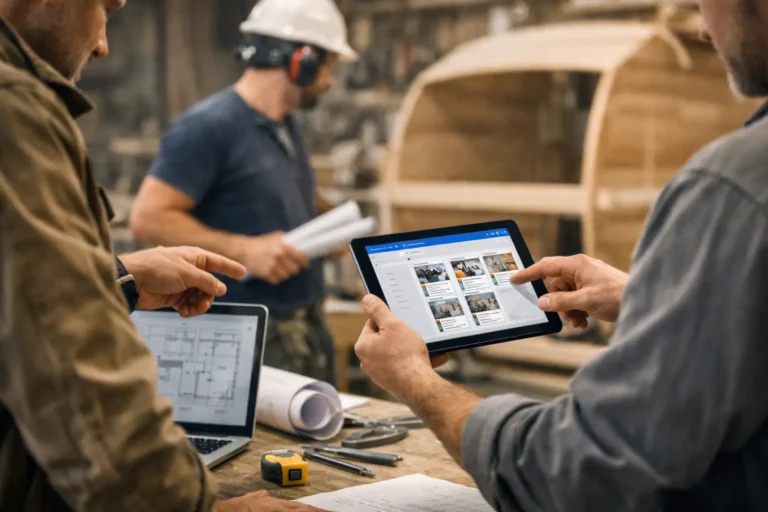
A platform like CustomWorks is built around that exact need: private project feeds where teams can post photos, videos, notes, stage updates, changes, and delivery progress in a clear timeline for clients.
The business case for better project progress updates
There is an obvious communication benefit, but the operational benefit is just as important.
When updates are organized, fewer people on the team need to answer status questions manually. Account managers, owners, site leads, and coordinators spend less time repeating themselves. New team members can understand project context faster. Handover becomes easier because the history already exists.
There is also a sales and reputation angle. Clients remember how a project felt, not just how it finished. If the process felt confusing, silent, or messy, the final result has to work harder to repair that impression. If the process felt transparent and controlled, clients are more likely to trust delays, approve changes, and recommend the business afterward.
That does not mean every update must be polished marketing content. In fact, overly polished updates can feel staged. Clear, honest, well-timed communication usually performs better than a perfect presentation.
Common mistakes teams make
One mistake is treating updates as a last-minute admin task. If no one owns the process, it slips. Another is sending updates only when something has gone wrong. That trains clients to associate communication with bad news.
Some teams also hide normal project changes because they want to avoid difficult conversations. That usually backfires. A delayed material, an access issue, or a revision request is easier to handle when it is documented early with context.
Another common mistake is overwhelming clients with internal detail. They do not need every operational movement. They need meaningful visibility. The goal is not to expose the full machinery of delivery. The goal is to keep confidence high and confusion low.
How to start without creating more bureaucracy
If your current process is messy, do not start by designing a complex communication policy. Start by deciding three things: who posts updates, when they are posted, and what each update should include.
For many businesses, one person can own the client-facing timeline even if several team members supply photos and notes. That keeps the format consistent. Then choose a rhythm that fits your work. Weekly works well for many projects. Milestone-based works better when stages are irregular.
From there, keep the update format tight. A visual, a short explanation, and the next step are enough to begin. Once the habit is established, you can refine it based on the type of jobs you run and the kinds of questions clients ask most often.
The companies that do this well are not usually the ones with the biggest systems. They are the ones that understand a simple truth: clients can tolerate complexity in the work, but they do not tolerate uncertainty for long.
Better project progress updates do not just reduce incoming messages. They change how your business is experienced while the work is still in progress, which is often the moment that matters most.