Customer Portal for Renovation Projects
A renovation can go quiet for three days and still be on track. To the client, though, that silence often feels like a problem.
That gap is exactly why a customer portal for renovation projects matters. When homeowners or commercial clients have paid a deposit and handed over access to their property, they want visible proof that work is moving forward. If updates live across texts, email threads, photo albums, and calls from site, the result is usually the same – confusion for the client and extra admin for the team.
CustomWorks.app
Keep clients updated without messy chats
Give each project a private feed for client updates — and keep a clear history of photos, videos, notes, stages, decisions, and delivery moments for your team.
For renovation companies, the issue is not only communication volume. It is communication structure. A client asking for updates once a week is manageable. Ten clients asking in different places, while decisions and change requests get buried in chat, is where projects start to feel harder than they should.
Why renovation clients ask for constant updates
Most status requests are not really about the schedule. They are about uncertainty.
Renovation clients are dealing with disruption, cost, and a finished result they cannot fully see yet. They may be living around the work, coordinating tenants, or waiting to reopen a commercial space. If they do not see progress, they fill the gap with questions. “Any updates?” is often another way of asking whether the project is under control.
That is why sending occasional messages is not enough. A one-off text with a photo helps in the moment, but it does not create a reliable project record. By the next week, the client is back to searching old messages, asking what was completed, and trying to remember when a decision was made.
A customer portal changes the shape of that conversation. Instead of the client requesting visibility each time, visibility is already there.
What a customer portal for renovation projects should actually do
Many renovation businesses do not need another internal project management system. They need a clear client-facing layer.
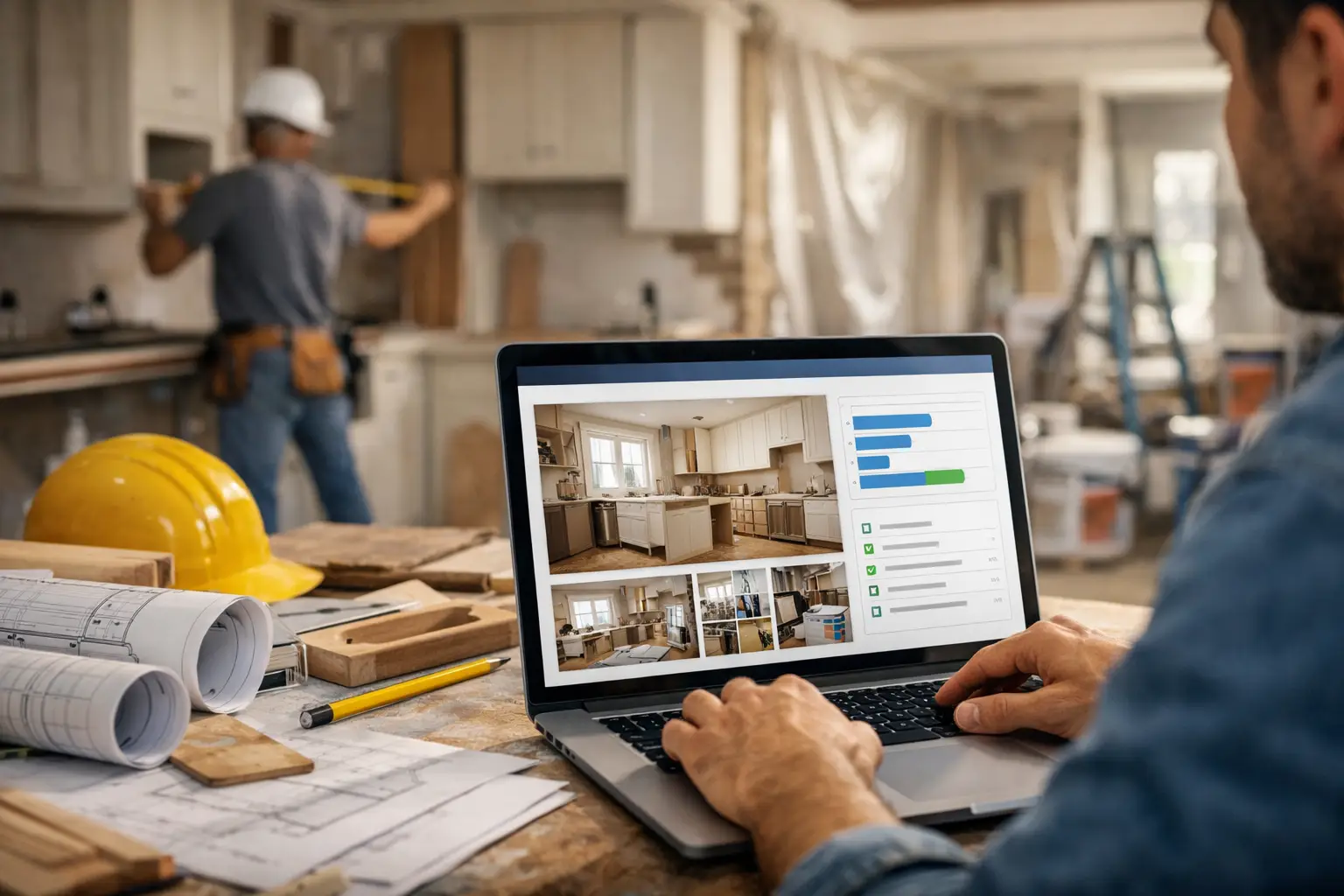
A useful portal should give each project a private space where the client can see progress in order. That usually means photos from site, short video clips, notes on what was completed, stage updates, approval points, changes, and handover milestones. The key is that everything sits in one timeline instead of being spread across different tools.
This distinction matters. Internal task boards are built for teams. A customer portal for renovation projects is built for the client experience. It should answer simple but critical questions: What has been done? What changed? What do you need from me? What happens next?
If the system is too complex, clients will avoid it and your team will fall back to email and chat. If it is too limited, it becomes just another place to upload pictures. The right balance is straightforward visibility without unnecessary process.
The business case is stronger than it looks
At first glance, a portal can seem like a communication upgrade. In practice, it affects margin, team time, and client confidence.
When updates are centralized, project managers and office staff spend less time repeating the same information. Site teams can share a quick photo and note once, rather than answering the same question several times in different channels. That saves time, but it also lowers the risk of inconsistency. Clients get one current version of the project story.
There is also a professionalism factor that should not be ignored. Renovation firms are often judged not just by workmanship, but by how controlled the process feels. A business that presents a structured update history looks more organized than one relying on scattered WhatsApp messages and long email chains.
That perception matters during delays, variations, and awkward phases of work. Clients are far more patient when they can see documented progress and understand what is happening.
What clients want to see inside the portal
The most useful renovation updates are usually simple.
Clients want photos that show visible progress, short explanations of what happened that day or week, and notes when a milestone has been reached. They also want key decisions captured clearly. If a tile choice changed, a wall was opened up, or a delivery moved, that information should sit in the same project history as the rest of the work.
Video can help when a still image is not enough, especially for walkthroughs, fit-out progress, or explaining a snag before resolution. But not every update needs rich media. In many cases, a short note with one or two images is exactly right.
What matters most is consistency. A portal works best when clients know where updates will appear and what kind of information they can expect there.
Where renovation communication usually breaks down
Most companies do not set out to create messy communication. It happens gradually.
A client sends a text because it feels quick. Someone on the team replies from site. Then a designer emails revised details. Then a change gets discussed on a call. Photos are posted in a group chat. Weeks later, no one has a clean record of what the client saw, when they saw it, or how the project progressed over time.
That creates operational drag. Team members spend time searching for old messages. Clients ask again because they cannot find the last update. Small misunderstandings grow because context is missing.
A portal fixes that by giving the project a home. Communication becomes easier to manage because the default behavior changes. Updates go into the project timeline, not into whatever channel happens to be open.
How to introduce a customer portal without adding bureaucracy
The risk with any new system is that the team sees it as extra admin. In renovation businesses, that concern is valid. If updates take too long to create, they will not happen consistently.
The simplest rollout is usually the best one. Start with one type of project and one update rhythm. For example, post progress twice a week, plus any major milestone or client decision. Keep each entry short. Add photos, a plain-language note, and a clear label for the stage of work.
It also helps to define ownership. In some businesses, the project manager posts all client updates. In others, site staff send media internally and one coordinator publishes it. There is no single right model. It depends on team size, project volume, and who already holds the client relationship.
What should not happen is leaving the process undefined. If everyone assumes someone else will post the update, the portal will go quiet – and that defeats the point.
When a customer portal for renovation projects delivers the most value
The longer and more customized the job, the more valuable the portal becomes.
A small one-week repair may not need much more than direct communication. But once projects run for several weeks or months, involve staged works, multiple trades, approvals, or significant client investment, the benefits increase quickly. Kitchen remodels, full-home renovations, office fit-outs, hospitality refurbishments, listed building restoration, and high-end interior projects are all good examples.
It is also especially useful when the client is not on site regularly. Absentee owners, commercial tenants, landlords, and busy homeowners often care less about detailed technical process and more about having a trusted, visible record of progress.
That said, a portal is not a substitute for real conversations. Complex issues, cost changes, and sensitive delays still need direct discussion. The portal supports those conversations by giving everyone shared context.
Choosing the right platform
If you are evaluating tools, look beyond feature volume. The key question is whether the system fits the actual client update workflow of renovation projects.
A good platform should make it easy to post visual progress, keep a clear chronological history, and present updates in a way clients can understand without training. It should feel professional on the client side and lightweight on the team side.
This is where a tool like CustomWorks fits well for businesses that handle long-running client projects. It is designed around private project feeds, visual progress updates, and organized client communication rather than internal task management. For renovation teams, that focus can be more useful than trying to adapt a complex PM system to a client-facing job it was never built to do.
The best portal is not the one with the most settings. It is the one your team will actually use every week and your clients will actually check.
A renovation project always creates some uncertainty. The goal is not to remove every question. It is to stop silence from becoming the loudest part of the client experience.